

Whether you're logging into an account, making an online purchase, or accessing a website, you've probably encountered a CAPTCHA. These verification tools are designed to help websites distinguish between real people and automated bots. Unfortunately, scammers are now using fake CAPTCHAs to trick people into installing malware that can compromise their accounts and personal information.
How the Scam Works
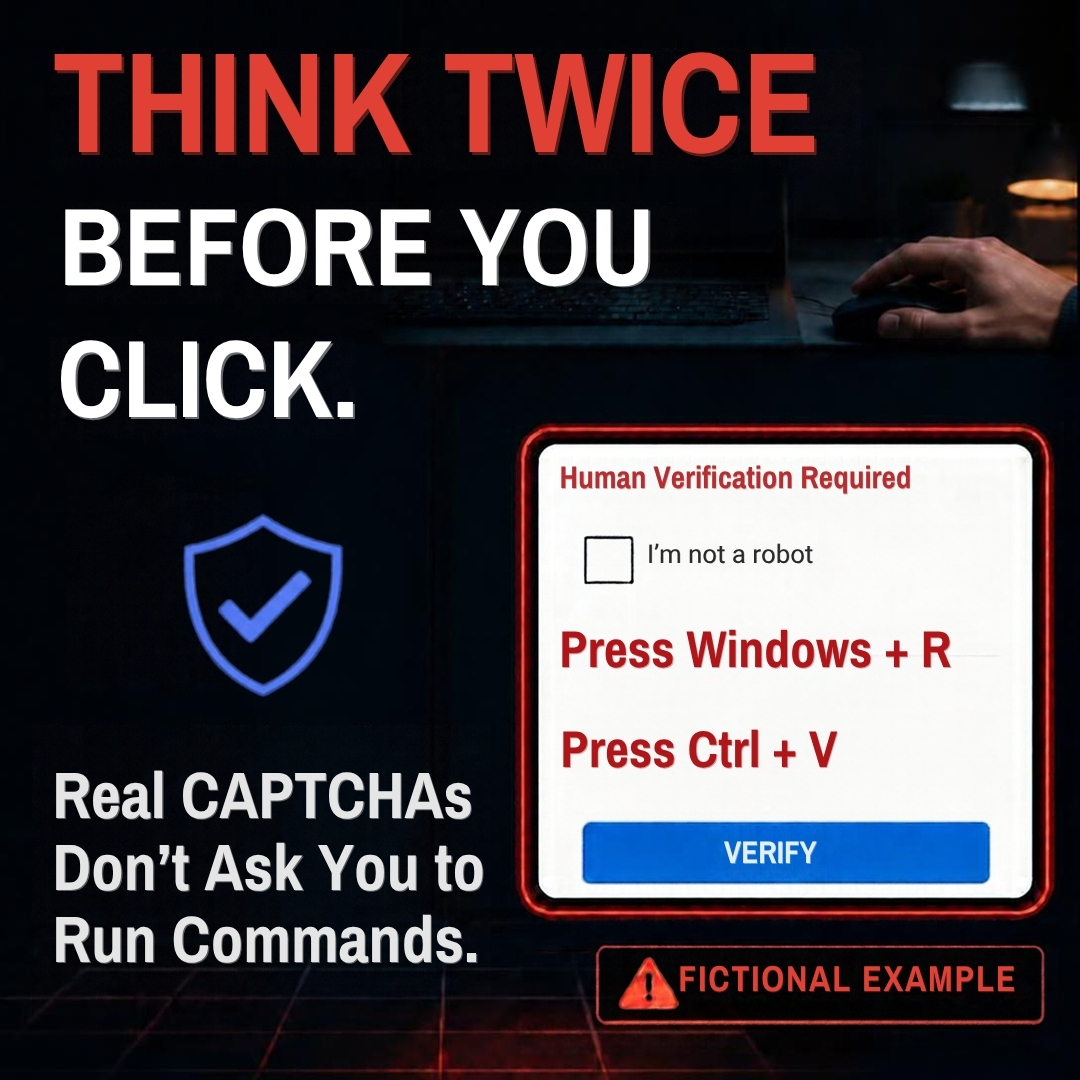
The scam typically begins with an unexpected CAPTCHA screen that appears while you're browsing online. At first glance, it may look legitimate. Instead of asking you to identify images or enter characters displayed on the screen, the fake CAPTCHA instructs you to complete a series of keyboard commands, such as pressing Windows + R, Ctrl + V, and Enter.
Those commands may seem harmless, but they can actually execute malicious code that installs malware on your device. Once installed, the malware can give criminals access to sensitive information, including email accounts, online banking credentials, and other personal data. While this example uses Windows keyboard commands, similar scams can target a variety of devices and operating systems.
Red Flags to Watch For
A CAPTCHA may be a scam if it:
🚩Asks you to open system tools or run commands on your device.
🚩Directs you to copy and paste text into a command window.
🚩Instructs you to press a series of keyboard shortcuts unrelated to solving a visual challenge.
🚩Appears unexpectedly on a website where human verification isn't normally required.
Remember: Legitimate CAPTCHAs ask you to identify images, select objects, or enter displayed text. They do not require you to run commands, install software or apps, or interact with your device's operating system.
What to Do if You Fall for It
If you believe you've completed a fake CAPTCHA and malware may have been installed on your device:
- Disconnect from the internet immediately to help prevent further unauthorized access.
- Run a security scan using reputable antivirus or anti-malware software and make sure to keep your security software updated.
- Change your passwords from a different device and enable multifactor authentication (MFA) whenever possible.
- Monitor your financial accounts and email accounts for suspicious activity.
Stay One Step Ahead
Scammers are constantly finding new ways to disguise their attacks. Taking a moment to question unusual requests can help protect your personal and financial information. If a CAPTCHA asks you to perform actions beyond clicking images or entering text, stop immediately and leave the site.
If you encounter a suspicious CAPTCHA or pop-up, report it to the Federal Trade Commission at ReportFraud.ftc.gov.
If you believe you may have entered or exposed your CEFCU account information or credentials, contact us immediately at 1.800.542.3328. Acting quickly can help limit potential fraud and protect your accounts.
The Bottom Line
Before you click, take a moment to pause. Legitimate CAPTCHAs are intended to verify that you're human. Fake CAPTCHAs may be trying to gain access to your device, your accounts, and your personal information. A few seconds of caution could help you avoid a costly scam.


